Shopify marks an order High risk of fraud, and you need to decide whether to ship it. Shipping a fraudulent order costs you the product and the payment. A legitimate order deserves a fair review before you cancel it.
Leave the order unfulfilled while you check it.
What Shopify's high-risk warning means
Shopify's fraud analysis estimates the order's chance of a fraud-related chargeback. A high-risk label means the order needs a closer review before shipping. Shopify explains its fraud analysis here.
The label is based on payment and checkout checks. Eligible online card orders receive a low, medium, or high risk recommendation.
Open the order and read the checks
In Shopify admin, open Orders and select the order. Find the Fraud analysis or Order risk section and read the full list of checks.
The order-risk section shows details such as:
- Whether the billing address and postal code match the card.
- Whether the CVV was correct.
- Whether the customer used more than one card or made repeated payment attempts.
- Whether the IP location is far from the shipping address.
- Whether the connection uses a proxy or shows unusual device or network activity.
Decide whether to ship the order
Read the warning alongside the order amount, addresses, payment attempts, and customer history.
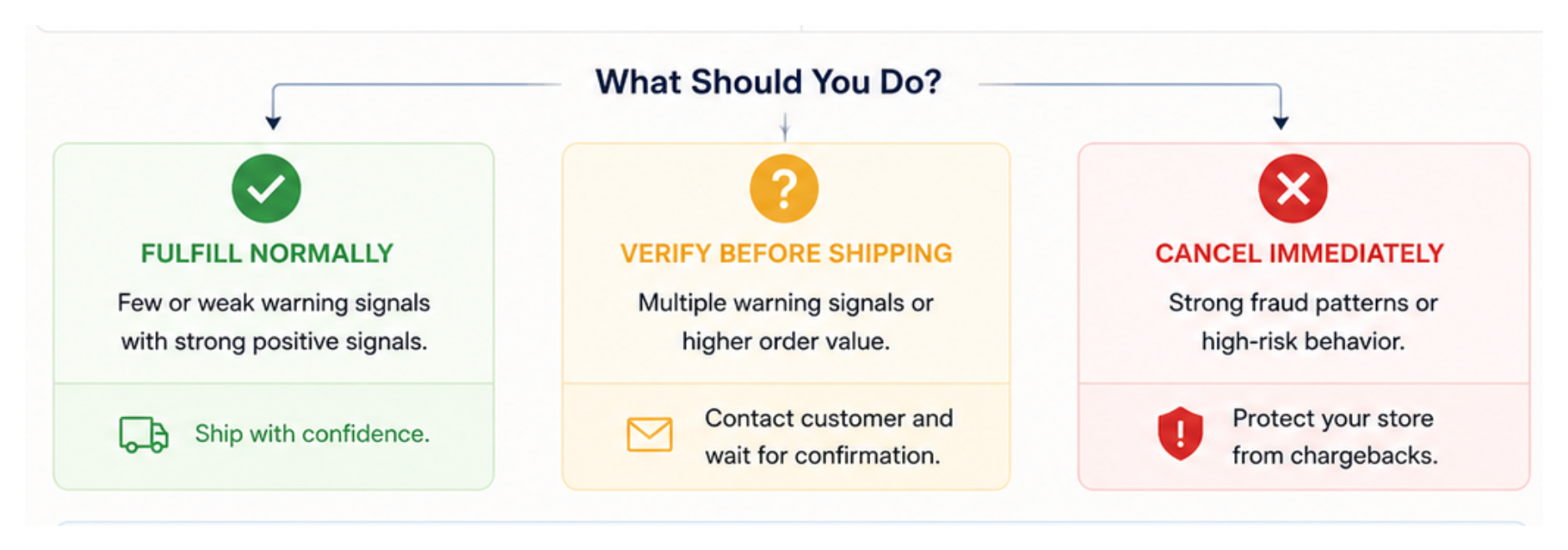
Ship the order when the billing and shipping details match the order, the payment history is clean, and the customer information is consistent. Use tracked shipping for an expensive order and keep the delivery record.
Contact the customer first when the warning signs need an explanation. Ask the customer to confirm that they placed the order and that the shipping address is correct.
Use this message:
Shopify flagged this order for a quick verification. Please confirm that you placed the order and that we should ship it to the address provided at checkout.
Wait for a clear reply before shipping. If the customer cannot confirm the order, changes the delivery address, or asks you to use a different payment method, cancel the order.
Cancel the order when several checks point to fraud. Multiple cards, repeated failed payments, implausible customer details, and an unusual high-value delivery request are strong reasons to cancel before shipping.
Refund the payment if it was captured, and select the restock option when you cancel the order.
Keep future orders pending while you review them
Manual payment capture gives you time to review new orders before Shopify collects payment. In Shopify admin, open Settings → Payments and change the payment capture method to Manual if your payment provider supports it.
Manual capture applies to every new order. Capture payment after you approve the order, or cancel it when the fraud checks and order details remain suspicious.
Automate high-risk order reviews
If your store receives many orders, use Shopify Flow to notify your team or hold high-risk orders before payment is captured.
Shopify provides templates such as Get notified of high-risk orders before capturing payment and Capture payment if order is not high fraud risk. These templates use the Order risk analyzed trigger because Shopify completes the fraud analysis after the order is created. See Shopify's order-risk Flow templates.
Start with a notification or order tag when you still want to review each order. Use automatic cancellation only after you have tested the rule with Shopify's fraud-analysis test orders.
For a sudden burst of cheap orders and failed payments, read how to respond to a Shopify card testing attack. That pattern needs a different response from reviewing one high-risk order.