This question contains two separate requirements:
- Restrict a product so only customers with a specific tag can purchase it
- Prevent that product from being purchased unless another qualifying item is also in the cart
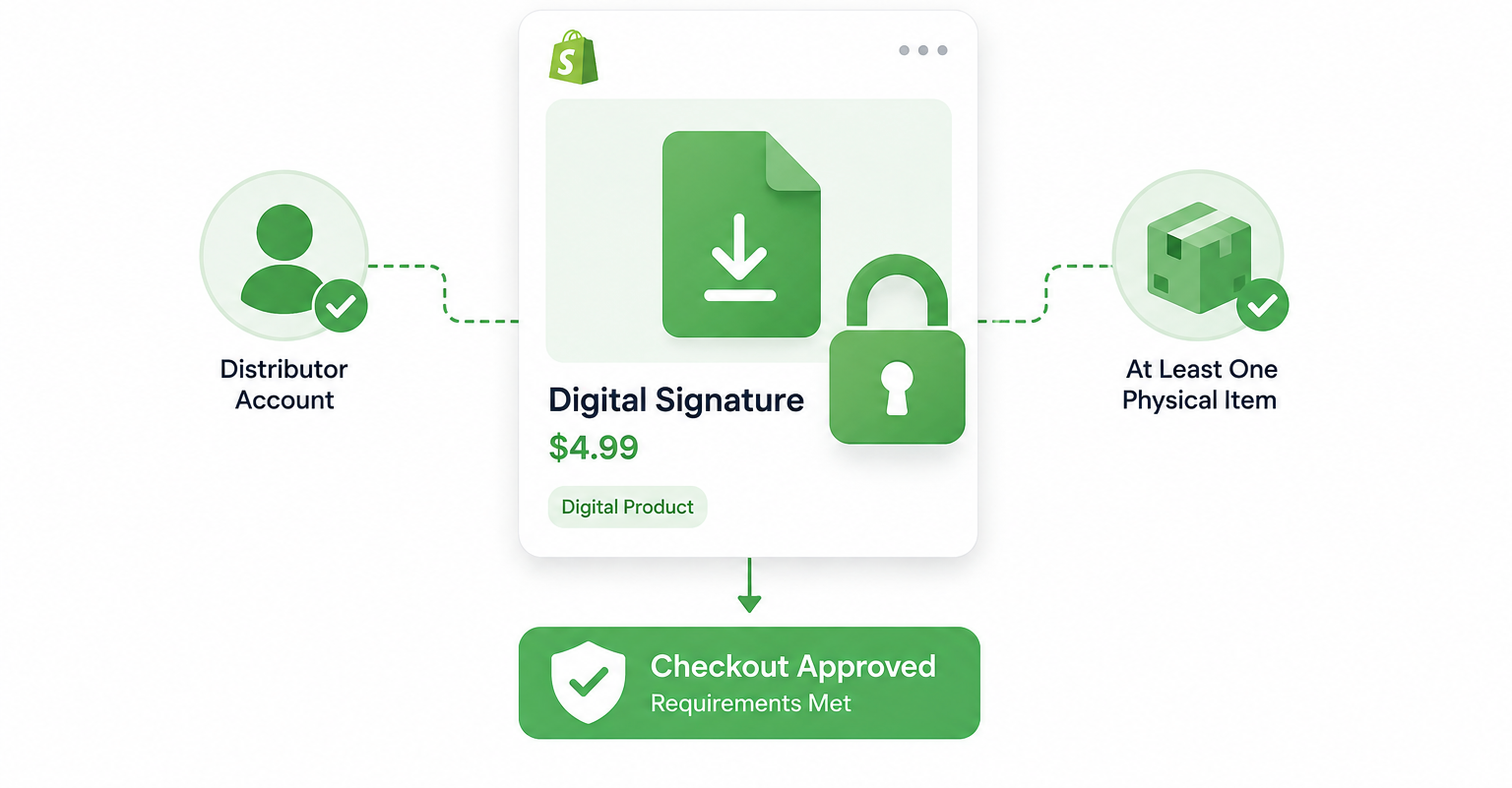
Shopify does not support either requirement natively. Both can be implemented using Shopify Functions checkout validation, either through a no-code app or custom development.
Plan Requirements
Checkout Validation is powered by Shopify Functions and is available on all Shopify plans when implemented through a Functions-based app. Custom-built Functions require a Shopify Partner account for development and testing but deploy to any plan. Before choosing an approach, confirm your store supports the app or tooling you plan to use.
The Two Solutions
Restricting the Product to Tagged Customers
Shopify Functions includes a Cart and Checkout Validation API that lets you define rules which block an order from completing if the cart does not meet your criteria. A validation function can read the customer's tags at checkout and block completion if the cart contains a specific product but the customer does not have the required tag.
The logic in plain terms:
IF cart contains Product X
AND customer is not logged in OR does not have tag "distributor"
THEN block checkout
     "This product is available to approved distributors only."
Apps that implement this without code, such as Checkout Rules and similar tools in the App Store, generate and manage Shopify Functions through a visual interface. They do not bypass Shopify's limitations. They expose the Functions logic through a no-code interface so you can configure validation rules without writing code.
For custom development, the Cart and Checkout Validation API on shopify.dev documents exactly how to build this. The function receives the cart and customer context and returns a validation result.
A checkout validation function blocks the order at the point of payment. The customer can still add the product to their cart and cannot complete checkout. If you want to prevent the product from being added to the cart at all, that requires theme-level code that checks customer tags before allowing the add-to-cart action. The checkout validation approach is more reliable because it cannot be bypassed by disabling JavaScript.
Requiring a Physical Item in the Cart
The second restriction prevents the product from being purchased without a physical item that requires shipping. This is also a checkout validation rule.
The logic:
IF cart contains Product X
AND no other item in cart has requires_shipping = true
THEN block checkout
     "This product must be purchased alongside a physical item."
A checkout validation function checks whether any line item in the cart has requires_shipping set to true. If the restricted product is the only item, or if all other items are also digital, the function blocks checkout.
Depending on your business rules, you might also validate that a minimum quantity of physical items is present, that the qualifying physical item belongs to specific collections, or that certain products qualify while others do not. The same Functions infrastructure handles all of these variations.
Which Approach Should You Choose
| Goal | Recommendation |
|---|---|
| Only tagged customers should buy | Customer tag validation |
| Must include a physical item | Shipping validation |
| Need both restrictions | Combine both validations in one function |
| No code preferred | Functions-based app |
| Custom rules or edge cases | Custom Shopify Function |
Why These Restrictions Stop Card Testing
Card testers target inexpensive digital products because failed delivery is not a concern. Requiring a logged-in distributor account eliminates all anonymous attempts immediately, and requiring a physical item alongside the digital product adds a second barrier since card testers want the smallest possible transaction.
For the broader card testing problem across multiple products or via the API, the article on Shopify card testing attacks and how to stop them covers the full response including Shopify's native fraud detection, AVS and CVV filters, and Fraud Control configuration.
Setting Up Product Visibility
The checkout validation prevents purchase, but the product page remains visible to all visitors. A distributor-only product appearing in your main catalog creates a confusing experience for non-distributors who find it and cannot buy it.
The cleanest setup is Unlisted status combined with checkout validation. An Unlisted product is active but hidden from collections, search results, and product recommendations — accessible only via a direct URL you share with distributors. Non-distributors cannot find it in browsing, and the validation provides the security backstop for anyone who finds the URL directly.
The article on excluding products from the All collection in Shopify covers how to use tags and automated collections to keep specific products out of general browsing without archiving or deleting them.
Tagging Distributors
For the customer tag restriction to work, your distributor customers need the correct tag on their Shopify customer profile.
You can add tags manually from the customer profile in your admin. For new distributors, add the tag when you approve their account. If you want this automated, Shopify Flow can add a tag to a customer based on conditions. For example, if distributors sign up through a specific form or use a specific discount code on their first order, Flow can watch for that trigger and add the distributor tag automatically.
The same customer tag approach is covered in more detail in the article on setting up VIP custom pricing by customer tag, which uses the same tagging and Functions infrastructure for a different use case: custom pricing rather than purchase restrictions.
Shopify Functions Limits
Shopify allows a maximum of five active checkout validation functions per store. If you are using other checkout customisation apps that also use validation functions, check how many are already running before adding another. The limit is per store, not per app, so multiple apps that each use a validation function count toward the same ceiling.
If you are on Shopify Plus and previously had checkout customisations built with checkout.liquid or the Script Editor, those mechanisms are being retired. As of August 28, 2025, order status page legacy customisations stopped rendering, and the Script Editor retirement for checkout is ongoing. Any checkout restriction logic built on these older systems needs to be migrated to Shopify Functions or it will stop working.
The Bottom Line
Shopify does not natively support restricting products by customer tags or requiring another product in the cart. Both are handled reliably using Checkout Validation built with Shopify Functions. Whether you implement the validation through a no-code app or custom development, enforcing these rules at checkout is significantly more secure than relying on storefront customisations alone.