You have three photos of the same product: a full view, a close-up, and a second color. The question is what to write as alt text for each one. Do you repeat the product name, add keywords, or describe what changes in the photos?
Write one short description for each photo. Describe what is visible, use normal spaces, and leave out search terms that do not describe the image. A front photo of a blue ceramic mug could use: Blue ceramic mug with a curved handle, front view.
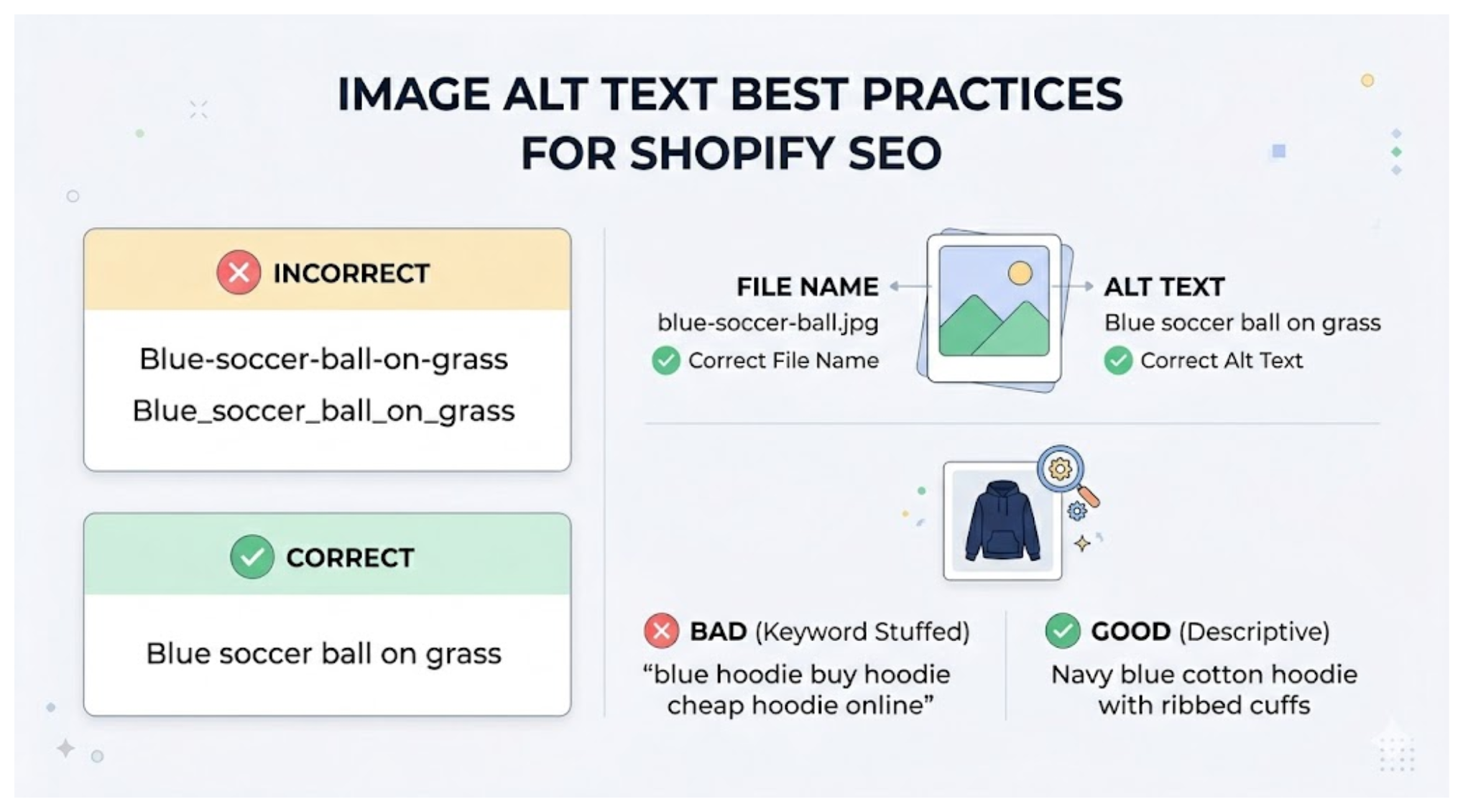
Describe what the photo shows
Start with the product, then add the detail that helps someone understand the photo. Use the color, material, pattern, angle, or part shown when it is visible.
A front photo of a navy cotton hoodie could use Navy cotton hoodie, front view. A close-up of its sleeve could use Close-up of the navy hoodie's ribbed cuff.
Shopify recommends keeping alt text brief and descriptive, with 125 characters or fewer when possible. The field accepts up to 512 characters. See Shopify's alt text recommendations.
Use spaces in alt text
Write alt text as normal words: Navy cotton hoodie with ribbed cuffs. Do not join the words with hyphens or underscores.
Hyphens belong in an image file name such as navy-cotton-hoodie.jpg. The file name and the alt text serve different purposes.
Write different text for different photos
A product can have several photos. A leather backpack can have a front view, a back view, and a close-up of the zipper.
Describe the detail that changes from one photo to the next. The front photo can say Black leather backpack with two front pockets. The close-up can say Close-up of the backpack's metal zipper.
For color variants, include the color shown in the photo and add the view when several photos use that color. Alt text for color variant images in Shopify covers that example in more detail.
Leave out details the image does not show
Alt text describes the image. A photo of a black backpack can mention its color, material, and pockets. It should not include words such as “cheap,” “best,” or “gift” when the photo does not show those things.
Do not repeat a list of search terms or paste the product title into every photo. Write one short description that tells someone what is visible.
Decorative images need no description. Leave the alt text empty for a background shape, divider, or decorative pattern so a screen reader skips it. Add alt text to product photos, logos, banners, and other images that communicate information.
Update the alt text in Shopify
For a few photos, add the text in Shopify's product media editor. For a large catalog, Shopify also supports updating image alt text through a CSV file.
If you want to review the photo while editing its text, AltMate shows each product photo beside its current alt text. It flags missing or weak descriptions and writes a suggested alt text for you to review before saving it to Shopify.