People search Google for products like yours, but your Shopify store does not appear. Your store is live and the products are available, yet most visitors come from social posts, links, or marketplaces.
Start with Google Search Console. Check that Google can find your important pages, then improve the pages that match searches your customers already make. This gives you a clear starting point instead of changing every product at once.
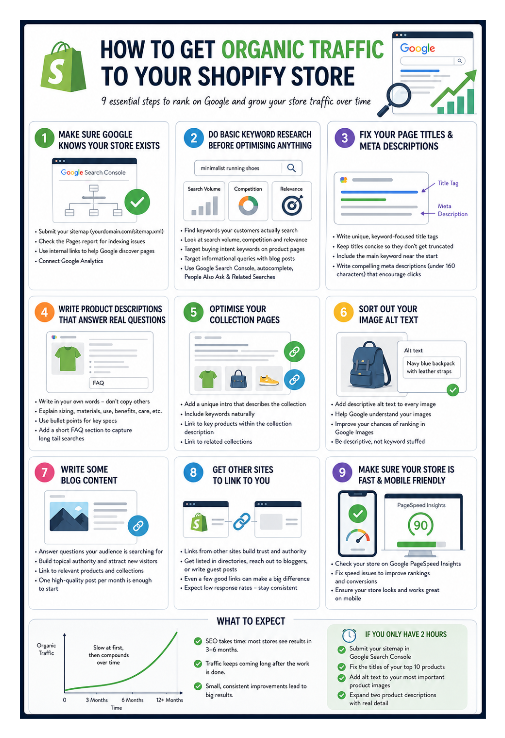
Make sure Google can find your important pages
Shopify creates a sitemap at your-store.com/sitemap.xml. Add your store to Google Search Console, verify the domain, and submit that sitemap under Sitemaps.
Open Pages in Search Console and look for product, collection, and article pages that are not indexed. Select a page to see the reason. Fix that issue before spending time rewriting the page.
A sitemap helps Google discover your store's URLs. Google still decides which pages to index and show in search results.
Match each search to the right page
Search Google for the phrase you want a page to rank for. Look at the type of pages already appearing in the results.
Product pages usually fit searches for one product. Collection pages fit searches for a type of product. Articles fit questions, comparisons, and other searches where the person wants an explanation before buying.
For example, a ceramic mug collection can target “ceramic mugs.” One mug's product page can target its name and details. An article can answer “how to choose a mug for the office.”
If Google shows collection pages for your phrase, improve a collection page instead of placing the phrase on one product page. Learn how to use Shopify collection pages to rank for more keywords.
Improve the page customers will visit
Give the page a title and heading that tell people exactly what they will find. Use the same wording naturally in the opening text.
On a product page, answer the questions that affect the purchase, such as size, material, fit, compatibility, or care. Write the description in your own words instead of copying the supplier's text.
On a collection page, explain which products belong there and who the collection is for. Link to the products in that collection so people can move from the category to an item.
You can edit a product, collection, or page's search result title and description in Search engine listing. These fields help people understand the result before they click. The page still needs useful content behind the result.
For a large product catalog, use Shopify's bulk editor or product CSV for bulk SEO.
Use Search Console to choose what to improve next
After your pages have been live long enough to collect data, open Performance in Search Console and review Queries and Pages.
Start with a page that receives impressions but few clicks. Google is already showing it for a search, so compare the search with the page title and description. Rewrite them when they do not clearly match what the page offers.
Then look at the searches that page appears for. If the searches are about a different product type, question, or comparison, create or improve the page that actually answers that search.
Pages with no impressions need a basic check first. Make sure the page is published, linked from another page on your store, and focused on a search your customers use.
Link the pages together
Connect related pages when a customer needs more information. Link a collection to its products, an article to the collection it discusses, and a product to a useful article when one exists.
Use link text that describes the destination, such as “ceramic coffee mugs” or “how to choose a coffee mug.” People can understand where the link leads before they open it.
Where to start this week
Choose five important product or category pages and check them in Search Console. Fix any indexing problems first.
Then search each page's main phrase on Google and improve the page that is closest to ranking. Update its title, opening, and content so it matches what the search results are answering.
If the pages are indexed but still receive very little traffic, see why Shopify SEO can stay stuck at low traffic.